


Microsoft Project Online Is Retiring. Start Your Migration Plan Today.

Project Online is retiring ─ ◆ ─ September 30, 2026

Your OnePlan Migration Roadmap

A proven process designed for a smooth, successful transition.

Discovery

Assess your current Project Online environment and business needs.

Planning

Define migration scope, governance, data mapping, and rollout strategy.

Migration

Migrate projects, data, workflows, and reporting with zero data loss.

Optimization

Improve processes and unlock the full power of OnePlan.

Adoption

Enable users, provide training, and ensure long-term success.

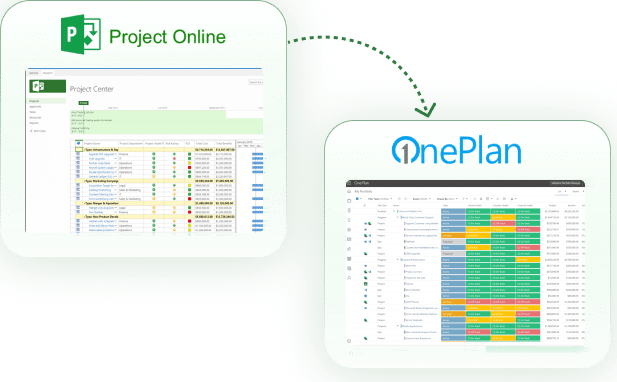
Project Online vs. OnePlan

Built for the future of work in Microsoft 365.

Project Online
OnePlan
Ideation
Objectives & Key Results×
Scheduling/Microsoft Project Professional Interoperability
Portfolio Views
Portfolio/Program Management
Kanban Views×
What if Scenario Modeling×
Prioritization
Status Report History and Trending×
Resource Capacity Planning×
Financial Planner/Annual Budgeting
Backlogs, Issues, Risks
Timesheets/All Work Across Projects
Built-in End User Configurable Reporting Dashboarding×
Power Automate Integration×
Teams Integration×
Agile / Azure DevOps / Jira Integration×
Audit History×

The Risks of Waiting

Delaying your migration increases complexity, cost, and business risk.

Rushed Migrations
Waiting increases pressure and leads to rushed, high-risk implementations.
Resource Bottlenecks

Migration demand
will spike—making the right resources harder to secure.

Technical Debt

Outdated platforms create more complexity and higher long-term costs.

Adoption Challenges

Less time to prepare your teams leads to lower adoption and productivity.

Don’t wait until options become limited.

Start your migration plan with OnePlan today.
Project Online

Why Project Online Is Retiring

Microsoft has officially announced the end of life for Project Online. Organizations that rely on it today should prepare for change to avoid disruption and risk.

End of Life Date

September 30, 2026

No New Features

No future investments.

Loss of Support

Eventual discontinuation

End of Availability

Features phased out.

Why OnePlan Is the Recommended Choice

Proven Success. Real Results

Organizations like yours have already made the move to OnePlan.

Propelling IT Transparency for Everllence

The new OnePlan environment offers clear added value for production and logistics: Since there is close cooperation with Group IT in most projects..

A Single Source of Truth for Global Execution
OnePlan stood out because of its flexibility, native Microsoft integrations, and ability to provide global visibility into costs, resources, and project health..
Modern Solutions for MODUS X
OnePlan delivered the flexibility, visibility, and reliability required to modernize how MODUS X manages its project portfolio and supports the broader..

Frequently Asked Questions

Everything you need to know about the Project Online retirement and migration to OnePlan.
Why choose OnePlan over other tools?

Unlike third-party tools, OnePlan is fully aligned with Microsoft 365, supports hybrid work management, integrates with Planner, Teams, Azure DevOps, and delivers AI-powered insights with Microsoft Copilot.

Microsoft has officially announced the retirement date of Project Online as September 30, 2026 — after which the service will no longer be available.

Many organizations choose OnePlan as their replacement because it delivers the full project, portfolio, resource, and financial management capabilities that Project Online users rely on, all within a modern Microsoft 365–aligned platform. OnePlan integrates with Planner, Project for the Web, Teams, Azure DevOps, and Power BI, giving teams a familiar experience with far more flexibility and insight than Project Online. Other Microsoft tools like Project for the Web or Planner can support lighter work, but OnePlan is often the best fit for PMOs needing an enterprise-level PPM solution.

Start by reviewing your current projects, data, and integrations, then identify what you need in a modern PPM solution. Next, create a migration plan so you can move your data, rebuild workflows, and train your team ahead of the September 2026 retirement. Beginning the process early helps prevent disruption.

Plan Your Migration Before Timelines Accelerate

Talk with our experts and get a personalized migration roadmap for your organization.